Free, native, and open source
One open-source DAW for the whole session.
Record · Arrange · Edit · Mix · Render
OpenStudio keeps multitrack recording, MIDI, pitch editing, plug-in hosting, mixing, optional local tools, and delivery connected inside one inspectable project.
Free + open source · Built into the DAW
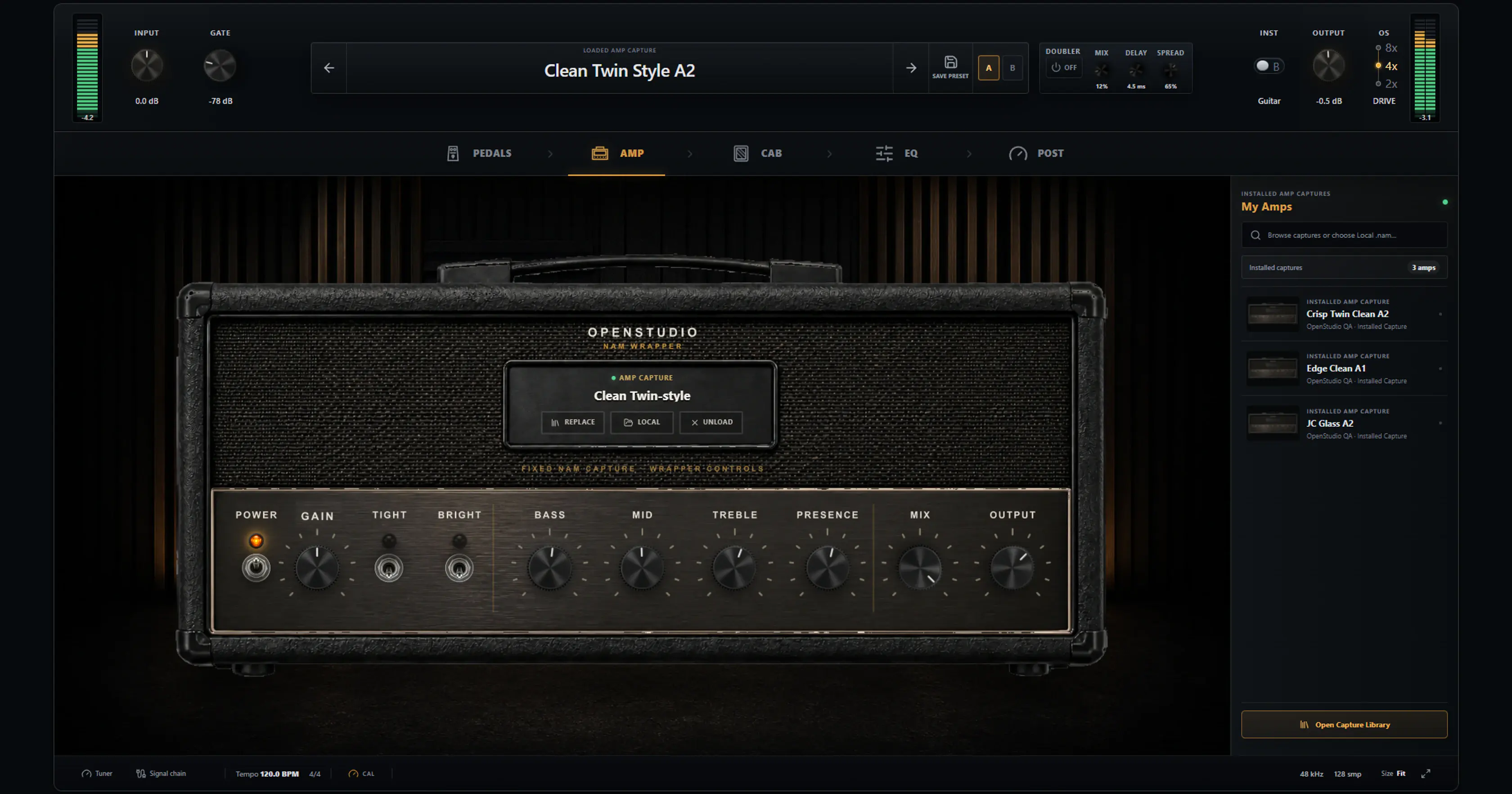
Your guitar rig is already in the session.
OpenStudio now has a free, built-in guitar rig powered by Neural Amp Modeler, with TONE3000 discovery, native pedals, cabinet IRs, and studio effects inside the DAW.
- NAM A1 + A2
- Native pedals
- Cabinet IRs
- Project recall
No paid NAM Rack tier. Third-party capture and IR licenses still apply, and authenticated TONE3000 delivery requires a TONE3000 account.
Open-source DAW
A complete production environment you can inspect and shape.
For producers comparing DAWs, OpenStudio is an open-source alternative built around the complete session: recording, MIDI, audio editing, plug-in hosting, pitch work, mixing, automation, and render.
Start with the full feature map, explore optional AI workflows on their own page, or inspect the public source and license before deciding whether OpenStudio fits your work.
Production workflows that stay connected
Extract and generate without round-trips
Optional AI tools inside the DAW
Separate vocals, drums, bass, guitar, piano, and other with BS Roformer, generate songs through ACE-Step, or import Stable Audio 3 for text-to-audio when that workflow is needed.
- 6-stem workflow
- ACE-Step text-to-music
- Separate Stable Audio 3 import
Tune in context
Pitch editing without leaving the song
Move from pitch analysis to note-level editing and correction in context, instead of exporting clips into a separate pitch tool.
- Graphical pitch editing
- Real-time correction path
Compose beside the arrangement
MIDI, instruments, and audio in one working surface
MIDI tracks, piano roll editing, hardware MIDI input, a virtual keyboard, and instrument loading live beside recorded audio.
- Piano roll and virtual keyboard
- Instrument tracks beside audio
See the session clearly
A real mix and plugin workflow
Channel strips, sends, automation, input FX, and native plugin windows make the mix stage feel like a real desktop production environment.
- Channel strips and sends
- VST3 / CLAP / LV2 hosting
OpenStudio questions, answered
- Is OpenStudio free?
- Yes. OpenStudio is free and open source under the GNU AGPLv3 license.
- Which operating systems does OpenStudio support?
- OpenStudio supports Windows 10 and 11, macOS, and Linux.
- Which plug-in formats does OpenStudio support?
- OpenStudio supports VST3, CLAP, LV2, and optional ARA2 workflows.
- Does OpenStudio include AI features?
- Optional local AI tools include BS Roformer stem separation and ACE-Step text-to-music. Stable Audio 3 can be added through a separate import when that workflow is needed.